Machine Room · 10 Aug 2026 · 4:15
Git Explained: How Commits, Branches & Merges Actually Work
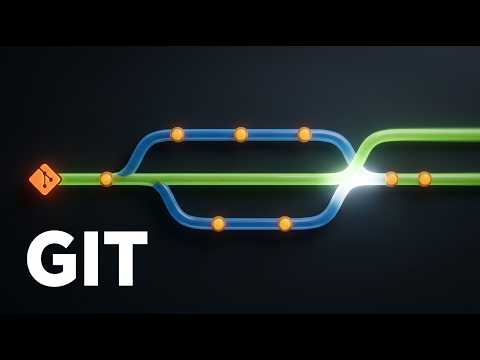
Watch on YouTube
Most of us use git by memorizing a handful of commands and praying. Here's the secret that fixes that: git is built so committed work is almost impossible to lose — and there are only four ideas in the whole machine.
The snapshot, the chain, the bookmark, and the merge. Learn these four and every command you've been copy-pasting starts making sense.
Chapters
- 0:00The Fear
- 0:35Commits — The Snapshot
- 1:13History — The Chain
- 1:57Branches — The Bookmark
- 2:36Merge — Two Timelines
- 3:19The Safety Net
Sources
Every claim traces to a primary source: the Pro Git book (§1.3, §3.1, §3.2), the git-gc documentation, and the Stack Overflow 2022 Developer Survey.
Transcript
The narration, word for word, from the subtitle file that ships with the video.
0:00The Fear
Be honest: this is how most of us use git. Memorize a handful of commands, type them in order, and pray. Because it feels like one wrong move could vaporize a week of work. Here is the secret this video exists to tell you: git is built so that committed work is almost impossible to lose. Not because git forgives mistakes — because of what a commit actually is. There are only four ideas in the whole machine: the snapshot, the chain, the bookmark, and the merge. Learn these four, and every command you have been copy-pasting starts making
0:35Commits — The Snapshot
sense. Idea one: the snapshot. A commit is not a list of changes. It is a photograph of your entire project — every file, exactly as it stands, captured whole. Unchanged files are not copied again; the new photo simply points at the identical ones git already has, which is why commits stay cheap. Even the confusing part, git add, is just you choosing what makes it into the next picture. So your history is not a pile of edits to replay. It is a stack of complete pictures, and you can walk back to any one of them,
1:13History — The Chain
whole. Idea two: the chain. Every snapshot gets a name git computes from its contents — a forty-character fingerprint. Change anything, one letter in one file, and the fingerprint changes completely. And here is the move that builds history: every new snapshot writes down the fingerprint of its parent, the snapshot that came before it. Photographs, each holding the name of the one behind it — a chain growing back to the very first commit. That is why history cannot be quietly rewritten. Touch an old snapshot, and every fingerprint after it stops matching. Git would notice instantly.
1:57Branches — The Bookmark
Idea three — and this is the one that rewires people. A branch is not a copy of your code. It is a bookmark. Inside git, a branch is a tiny text file holding one fingerprint — forty-one bytes. It marks a snapshot and says: you are here. Commit again, and the bookmark moves itself forward. That is why making a branch is instant on a project of any size — git places a bookmark, and nothing gets copied. And HEAD, the word haunting every scary error message? Just the bookmark you are reading from right now.
2:36Merge — Two Timelines
With two bookmarks, the chain can split — two timelines of the same project, growing in parallel. A merge ties them back together: git makes one new snapshot with a parent in each timeline, and the two histories become one. Usually, that is automatic. But when both timelines changed the same line of the same file, git stops and asks. That is all a merge conflict is. Not an error, not damage — git pausing to say: two versions disagree here, and a human has to pick. You choose the line, you commit, and the timelines close.
3:19The Safety Net
Now the payoff. Snapshots that never change, chained by fingerprint, with bookmarks on top — that design has a consequence: git almost never deletes anything. Nearly every git operation only adds to the database. Even a deleted branch just removes a bookmark — the snapshots are still inside, and a private log called the reflog remembers where your bookmarks stood for roughly ninety days. And once you push, another computer — that is all GitHub is — holds a copy of the whole chain too. So commit early, and commit often. In git, committed work is the safest work on your machine. That is the entire model. Everything else is syntax.
Visuals are code-rendered motion graphics — no stock footage, no AI imagery. Narration is synthetic. How it's made.
← Sessions, JWT, OAuth2 or SSO: When to Use EachSSL vs TLS vs HTTPS: How the Padlock Actually Works →